> ## Documentation Index
> Fetch the complete documentation index at: https://elementary-more-explicit-webhook-instructions.mintlify.site/llms.txt
> Use this file to discover all available pages before exploring further.
# Elementary Data Tests
Elementary provides tests for detection of data quality issues.
Elementary data tests are configured and executed like native tests in your dbt project.
Elementary tests can be used in addition to dbt tests, packages tests (such as dbt-expectations), and custom tests.
All of these test results will be presented in the Elementary UI and alerts.
## Anomaly detection tests
Tests to detect anomalies in data quality metrics such as volume, freshness, null rates, and anomalies in specific dimensions.
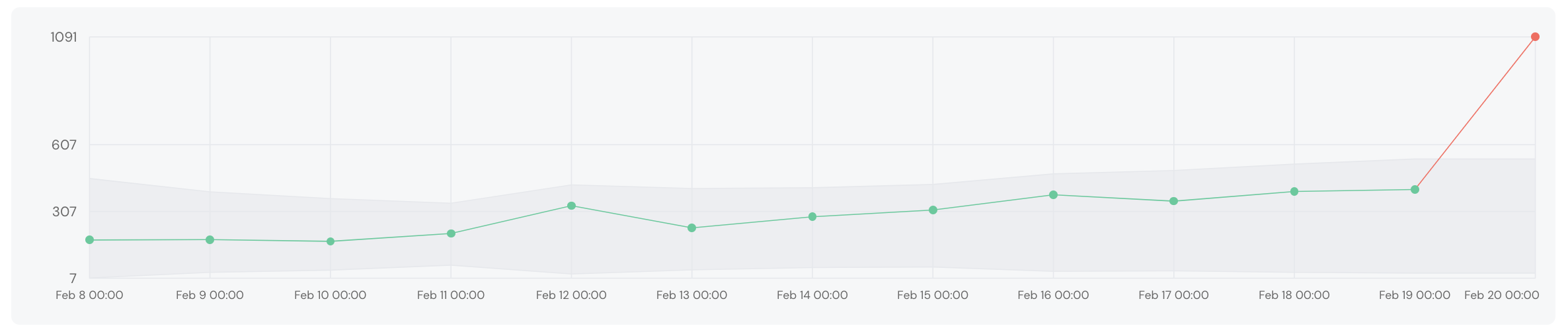 [How Elementary anomaly detection tests
work?](/data-tests/how-anomaly-detection-works)
Monitors table row count over time to detect drops or spikes in volume.
Monitors the latest timestamp of a table to detect data delays.
Monitors the gap between the latest event timestamp and it's loading time, to
detect event freshness issues.
Monitors the row count per dimension over time, and alerts on unexpected
changes in the distribution. It is best to configure it on low-cardinality
fields.
Monitors a column for anomalies in metrics such as null rate, length, max and
min, and more. Read more about [specific column
metrics](/data-tests/anomaly-detection-configuration/column-anomalies).
Activates the column anomalies test on all the columns of the table. It's
possible to exclude specific columns.
## Schema tests
Fails on changes in schema: deleted or added columns, or change of data type
of a column.
Fails if the table schema is different in columns names or column types than a
configured baseline (can be generated with a macro).
Monitors a JSON type column and fails id there are JSON events that don't
match a configured JSON schema (can be generated with a macro).
Monitors changes in your models' columns that break schema for downstream
exposures, such as BI dashboards.
## Other tests
Write your own custom tests using Python scripts.
[How Elementary anomaly detection tests
work?](/data-tests/how-anomaly-detection-works)
Monitors table row count over time to detect drops or spikes in volume.
Monitors the latest timestamp of a table to detect data delays.
Monitors the gap between the latest event timestamp and it's loading time, to
detect event freshness issues.
Monitors the row count per dimension over time, and alerts on unexpected
changes in the distribution. It is best to configure it on low-cardinality
fields.
Monitors a column for anomalies in metrics such as null rate, length, max and
min, and more. Read more about [specific column
metrics](/data-tests/anomaly-detection-configuration/column-anomalies).
Activates the column anomalies test on all the columns of the table. It's
possible to exclude specific columns.
## Schema tests
Fails on changes in schema: deleted or added columns, or change of data type
of a column.
Fails if the table schema is different in columns names or column types than a
configured baseline (can be generated with a macro).
Monitors a JSON type column and fails id there are JSON events that don't
match a configured JSON schema (can be generated with a macro).
Monitors changes in your models' columns that break schema for downstream
exposures, such as BI dashboards.
## Other tests
Write your own custom tests using Python scripts.