> ## Documentation Index
> Fetch the complete documentation index at: https://elementary-more-explicit-webhook-instructions.mintlify.site/llms.txt
> Use this file to discover all available pages before exploring further.
# time_bucket
```
time_bucket:
period: < time period > # supported periods: hour, day, week, month
count: < number of periods >
```
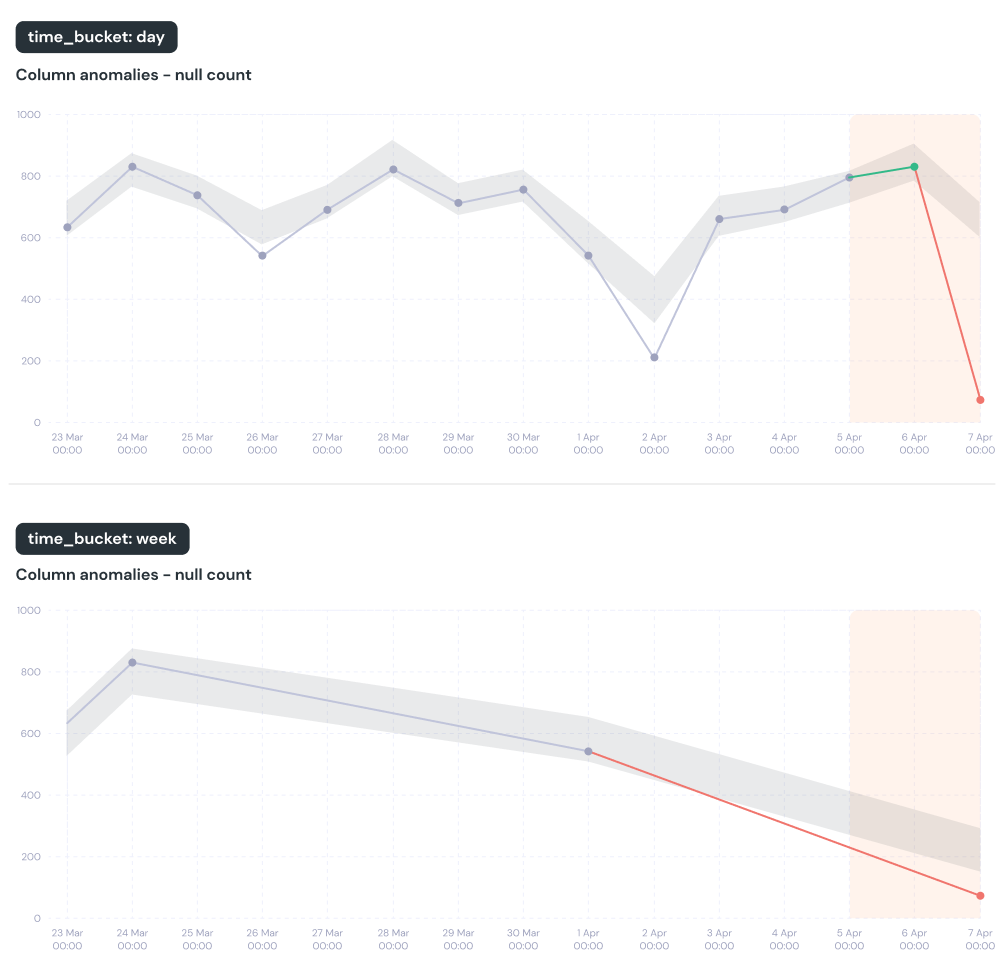
This configuration controls the duration of the time buckets.
To calculate how data changes over time and detect issues, we split the data into consistent time buckets.
For example, if we use daily (period=`day`, count=`1`) time bucket and monitor for row count anomalies, we will count new rows per day.
Depending on the nature of your data, it may make sense to modify this parameter.
For example, if you want to detect volume anomalies in an hourly resolution, you should set the time bucket to period=`hour` and count=`1`.
* *Default: daily buckets. `time_bucket: {period: day, count: 1}`*
* *Relevant tests: Anomaly detection tests with `timestamp_column`*
 ```yml test
models:
- name: this_is_a_model
tests:
- elementary.volume_anomalies:
time_bucket:
period: day
count: 2
```
```yml model
models:
- name: this_is_a_model
config:
elementary:
time_bucket:
period: hour
count: 4
```
```yml dbt_project.yml
vars:
time_bucket:
period: hour
count: 12
```
#### How it works?
* The `training_period` and `detection_period` of the test might be extended to ensure full time buckets (for example, full week Sunday-Saturday).
* Weekly buckets start at the day that is configured as week start on the data warehouse.
```yml test
models:
- name: this_is_a_model
tests:
- elementary.volume_anomalies:
time_bucket:
period: day
count: 2
```
```yml model
models:
- name: this_is_a_model
config:
elementary:
time_bucket:
period: hour
count: 4
```
```yml dbt_project.yml
vars:
time_bucket:
period: hour
count: 12
```
#### How it works?
* The `training_period` and `detection_period` of the test might be extended to ensure full time buckets (for example, full week Sunday-Saturday).
* Weekly buckets start at the day that is configured as week start on the data warehouse.